
Transform Your Old TV: 5 Must-Know Remote Hacks for Instant Access to Netflix and YouTube
Daniel Kim Views
Translation result.
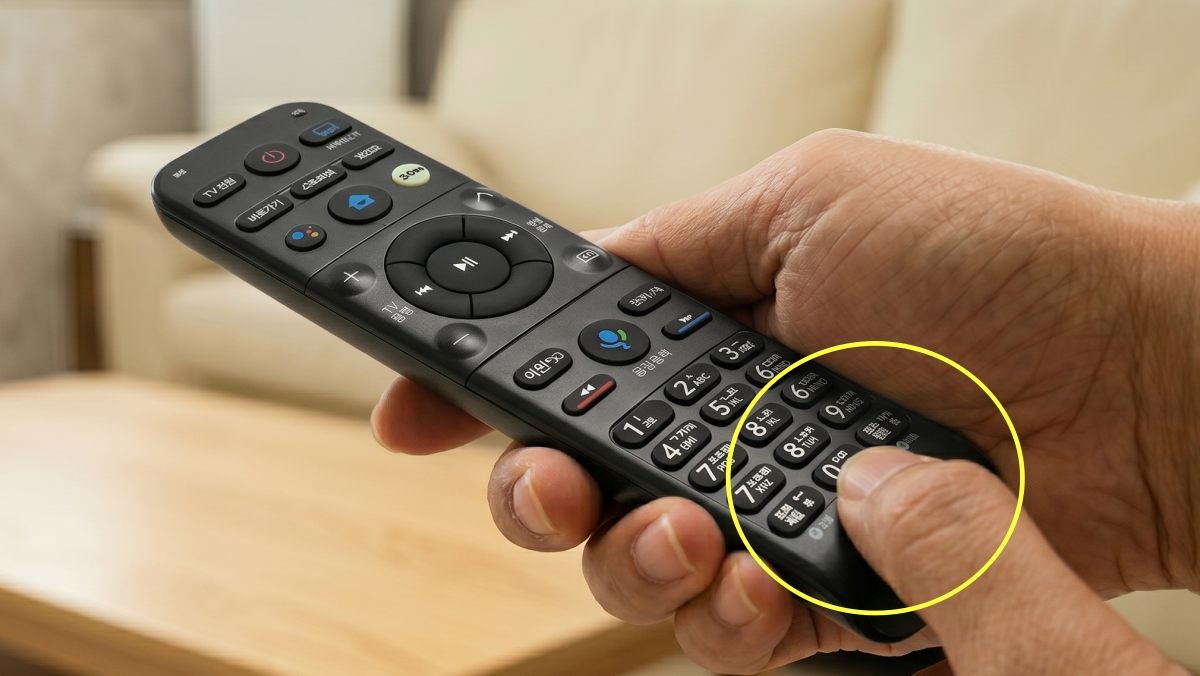
A hidden feature has been discovered on a TV remote that most people use only to change channels and adjust volume. Viewers found that pressing and holding the number 0 button for a few seconds lets you register frequently used apps like Netflix and YouTube as shortcuts — a trick that’s drawing attention from smart TV users.
That news is especially welcome for owners of older TVs who have long envied the dedicated app buttons on newer remotes. With a single number key, you can jump straight to a favorite app, so an older TV can feel much more like a modern smart set without navigating complicated menus.
The tips, shared by the YouTube channel “Sallim Research Lab Ocle,” have spread rapidly across online communities and social media. The video surpassed 340,000 views in under two weeks and has become a go-to how-to for many viewers. People are treating it as practical guidance that could change how they use the TV at home, not just a simple lifehack.
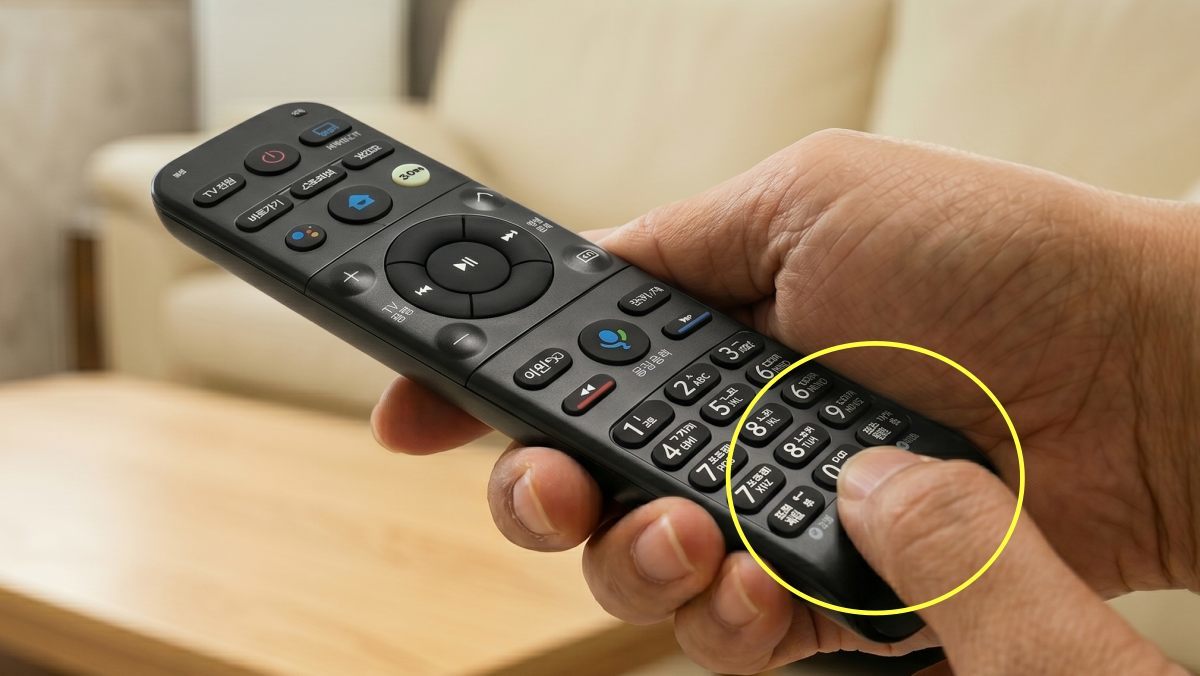
One press of 0 does it all — the shortcut that makes an old TV feel new
Many modern smart TV remotes ship with dedicated Netflix and YouTube buttons. But owners of older models don’t have to miss out. Press and hold the central “0” button for about three seconds and you can enable the same shortcut capability found on newer remotes.
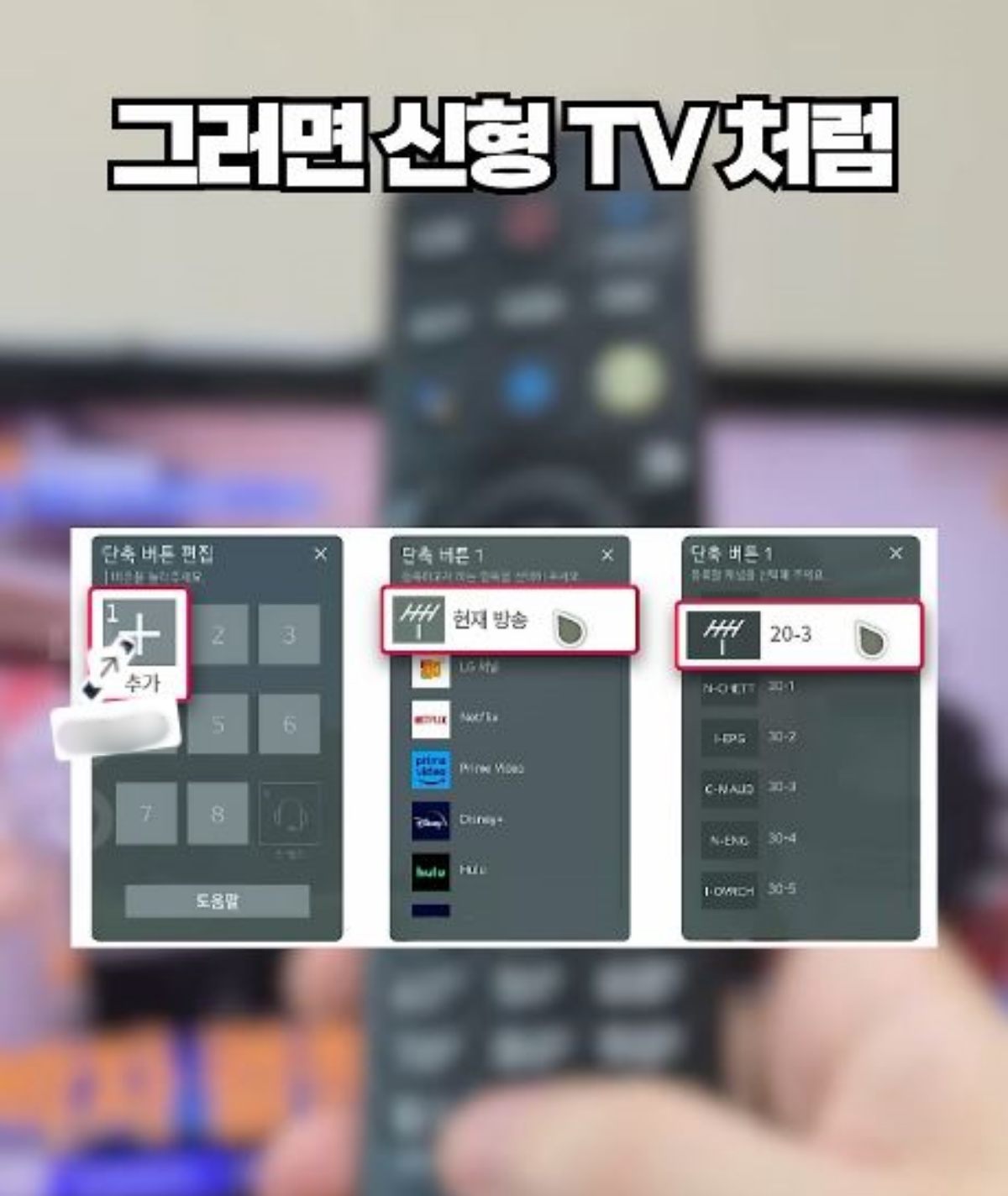
Holding down “0” brings up an Edit Shortcuts window — essentially a favorites area where you can assign apps to number keys. Assign Netflix to 1 and YouTube to 2, for example, and later you can jump straight to those services by holding the assigned number. That simple trick gives older remotes responsiveness and convenience comparable to newer models, and users report higher satisfaction as a result.
From hidden info panels to self-diagnosing the screen
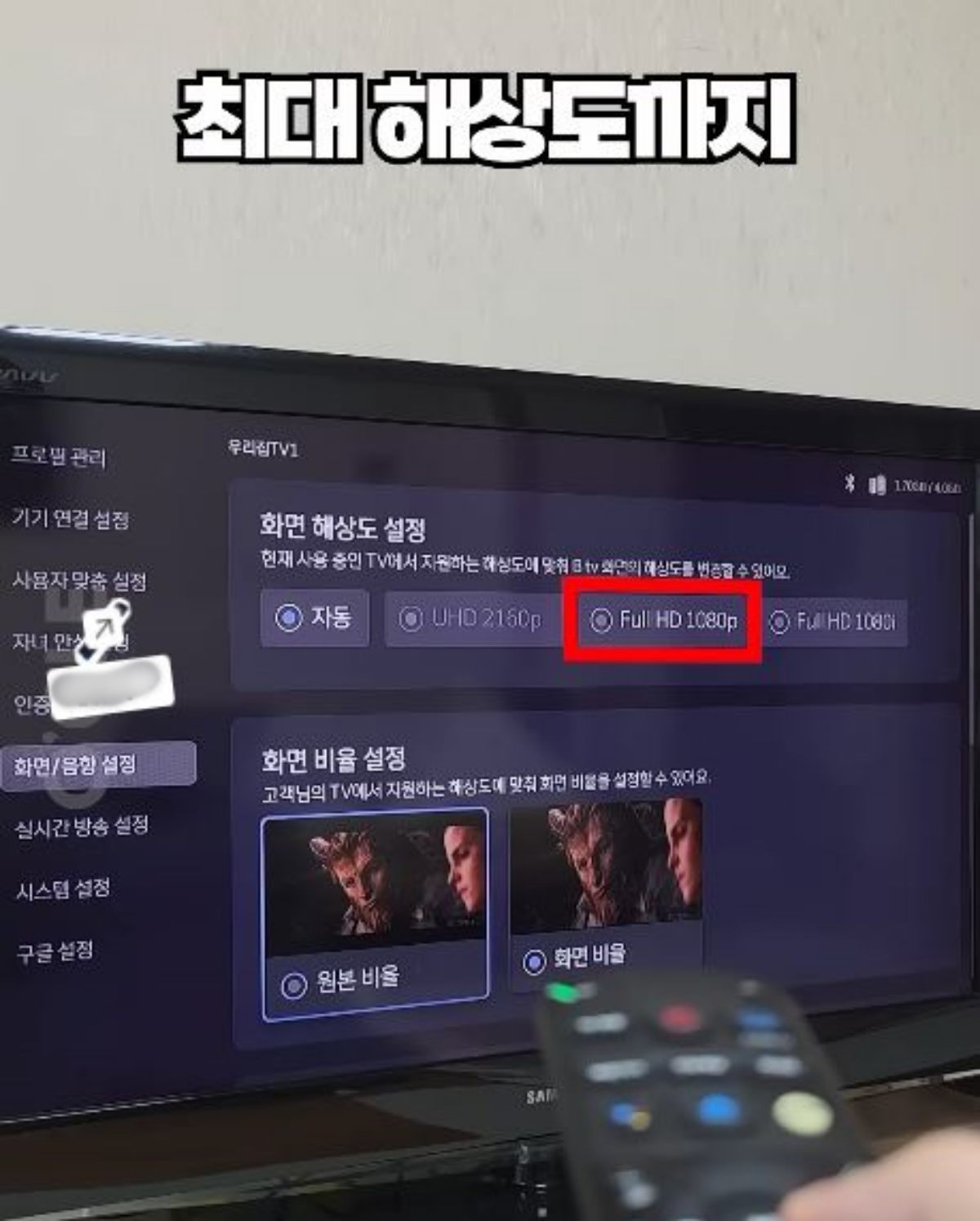
The green button near the bottom of many remotes hides another useful secret. Tap it quickly several times and a hidden info panel appears in the corner of the screen — a panel you normally can’t reach from the standard menu. It shows the current video’s refresh rate (Hz) and the maximum resolution your TV supports under current conditions.
If you paid for a high-end TV but are seeing low picture quality because of settings, this info panel can help you identify and fix the problem immediately.
The piece also explains how to determine whether visible lines or other screen problems indicate a real hardware fault. Press and hold the remote’s gear (settings) button, then run the Screen Self Diagnosis option under Customer Support in the settings menu. If lines remain, the issue is hardware — a panel defect — not software. Because panel replacement can cost several hundred thousand KRW (approximately a few hundred USD), it’s important to get a professional check before any free repair window closes.
Check the remote with your phone camera when it stops responding
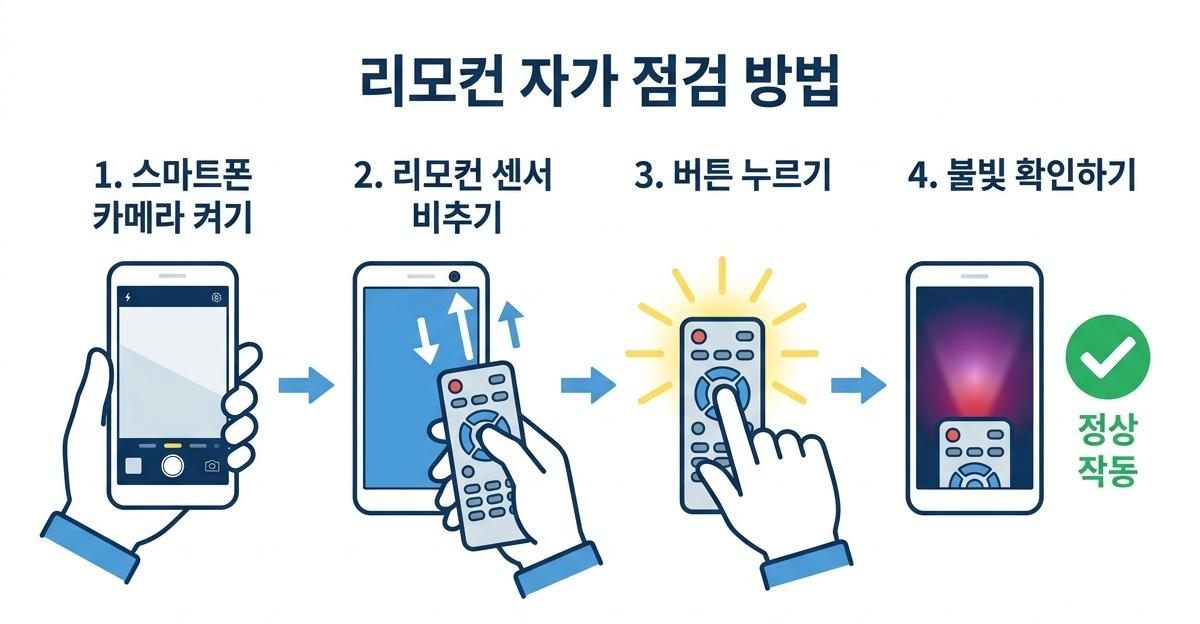
If your remote suddenly stops working and you want to test it before visiting a service center, try this simple home check using your phone camera. Open the phone camera, point the lens at the remote’s infrared sensor at the front, and press buttons on the remote.
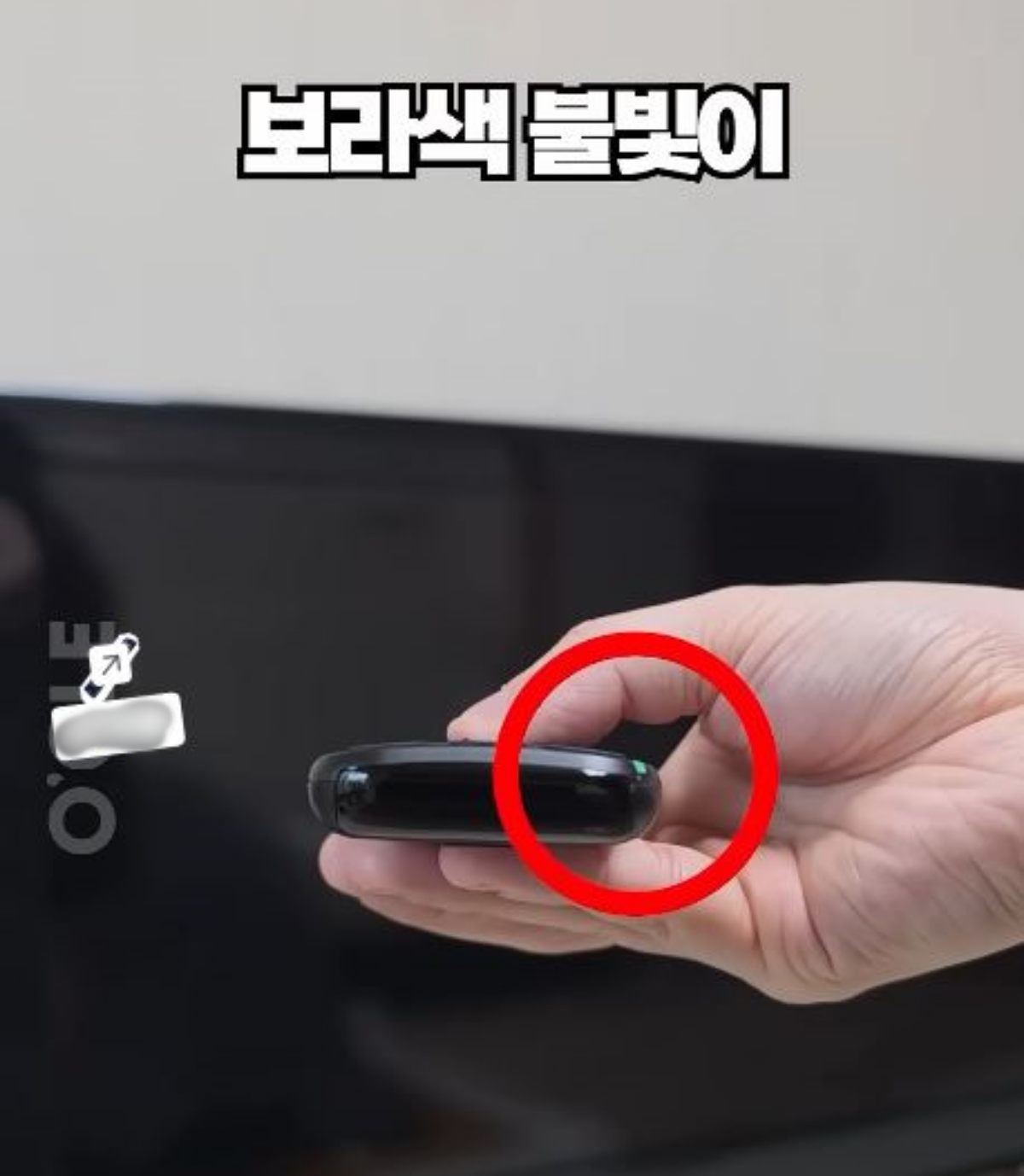
Infrared light is invisible to the naked eye, but your camera will usually show a purple glow at the tip of the remote when you press a button. If you see that glow, the remote’s transmitter is working. In that case, the problem is more likely dead batteries or an issue with the TV’s receiver — problems you can often fix by replacing the batteries.
Viewers praised these remote tips because anyone can try them immediately without extra equipment or technical knowledge.
People who watched the video left enthusiastic comments like Great tip! Wow — amazing. Definitely saving this.

Remotes keep disappearing? Try these loss-prevention tips you can use at home
Almost everyone has searched the house for a missing remote — under sofa cushions, beneath blankets, under the coffee table, even inside a toy box. Remotes are small and light, so people often leave them anywhere. When family members share them, nobody remembers where the remote went.

If you lose remotes often, start by choosing a dedicated storage spot. Pick one place — a side table next to the TV, a corner of the coffee table, or the sofa armrest pocket — and always return the remote there. It sounds simple, but it’s the fastest way to cut down search time.
If your household has multiple remotes, get a basket or tray for them. TVs, set-top boxes, and air conditioners all come with separate remotes that scatter quickly. Keeping them together makes it easy to find the one you need and encourages everyone to put them back after use.
If you often lose the remote in the sofa, consider a storage-style remote holder. Options include a pocket that hangs over the sofa arm, a wall-mounted holder, or a tabletop stand. A pocket-style holder prevents remotes from slipping between cushions or under blankets.
Remote color affects how easy it is to find. Most remotes are black or dark gray and can blend into dark sofas, bedding, or carpets. Try adding a brightly colored case or strap. A fluorescent ring or large keychain increases visibility and makes the remote easier to spot. But don’t cover the infrared transmitter, microphone holes, or charging port.
Attach a tracking tag to the remote. Devices like the Samsung Galaxy SmartTag or Apple AirTag connect to phone apps to help locate items. Nearby objects can play a sound, and some devices show distance or direction. If your family frequently misplaces the remote, attach a tag to the remote case or strap to save time searching.
When you add a tracking tag, place it so it won’t interfere with remote use. Avoid covering the remote’s back or attaching a bulky tag where fingers normally press buttons. If you use adhesive pads, make sure the remote surface is flat and the tag won’t fall off from frequent handling.
If you have children or pets, don’t store the remote within easy reach. Kids might treat it like a toy, and pets might carry it off. Use a wall-mounted holder or a storage box on a high shelf instead. Also keep remotes with loose battery covers out of reach of curious hands.
Battery care matters. If a remote seems dead, people often move it around and end up losing it. First check battery orientation and remaining charge. Keep spare batteries near the remote’s storage spot so you can quickly tell whether the issue is batteries or a malfunction.
Reducing remote loss is straightforward: pick a set spot, make the remote easy to see, and use phone apps or tracking tags if needed. The key is that everyone in the household follows the chosen storage routine. If you spend a lot of time hunting for the remote, set a home for it today — it’s the most practical fix.







Most Commented